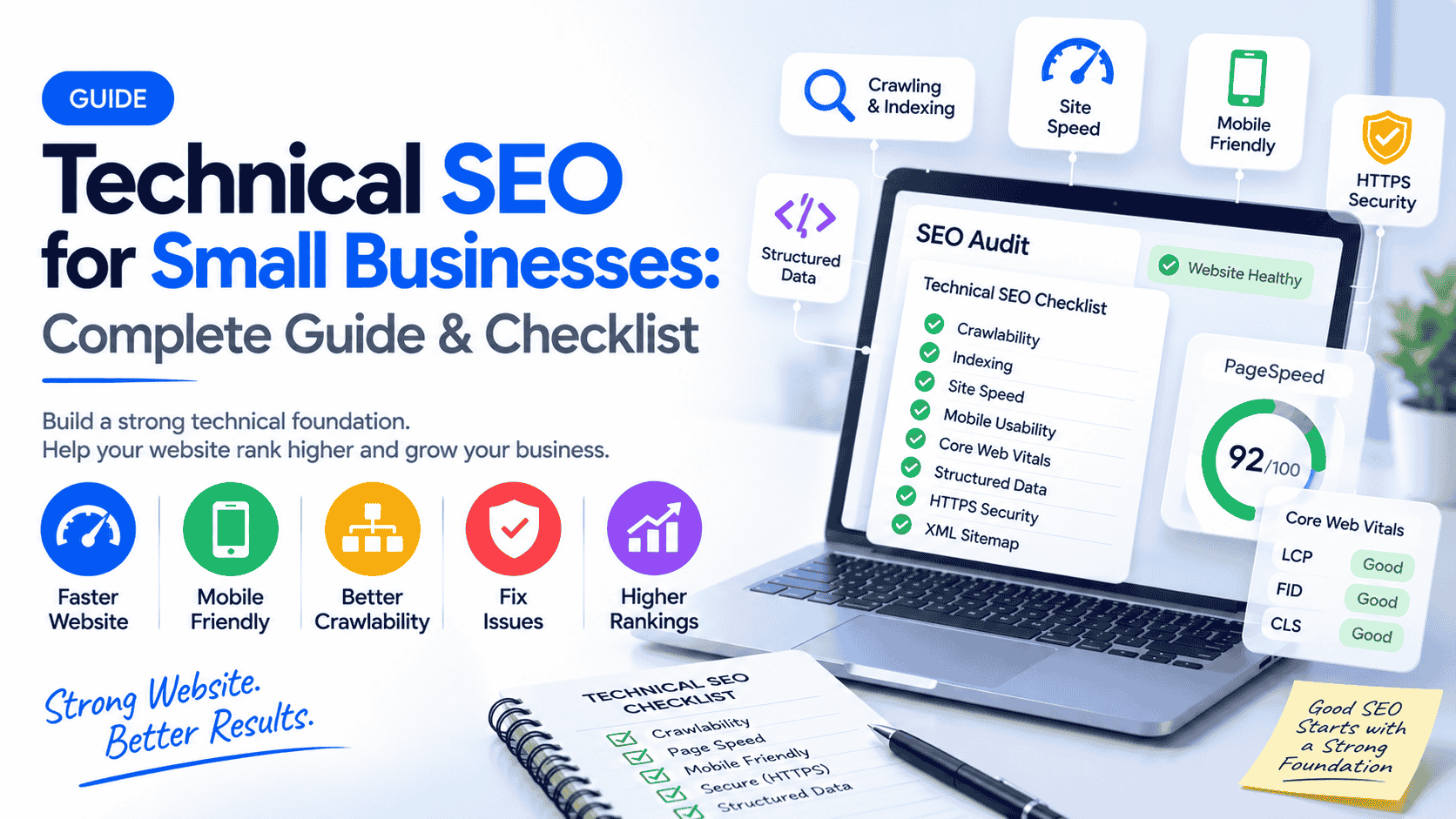
Technical SEO for Small Businesses: Complete Guide & Checklist
13 Sept 2026 10 min readSanket Jain
Fix technical SEO issues on your small business website. Practical checklist, audit steps, and clear explanations to improve crawling, indexing, speed and Google visibility.
Technical SEO for Small Businesses: Complete Guide to Fixing Your Website
A good-looking website can still struggle in Google if search engines cannot crawl it properly, index the important pages, or deliver a fast experience to users.
Technical SEO for small businesses is the work of making sure your website’s foundation is solid so Google can find, understand and rank your pages. It covers crawling, indexing, site structure, speed, mobile usability, security and structured data.
This guide explains technical SEO in plain language, gives you a practical checklist, walks through a step-by-step process, and shows common problems with clear fixes. It is written for small-business owners and teams who want to improve website health without unnecessary jargon.
For the bigger picture of SEO strategy, see our complete SEO guide for small businesses. Keyword targeting is covered in keyword research for small businesses. Local visibility depends on both technical health and local SEO plus a strong Google Business Profile.
What Is Technical SEO?
Technical SEO is the set of optimisations that help search engines crawl your website, understand its structure, and index the right pages.
Think of your website as a shop. Content and design are what customers see inside. Technical SEO is the address, the doors, the lighting, and the clear layout that lets people (and Google) enter and find what they need.
Key jobs of technical SEO:
Make sure Googlebot can crawl important pages
Help Google understand which pages should be indexed
Ensure the site is secure (HTTPS)
Deliver a fast and mobile-friendly experience
Avoid confusion from duplicate content, broken links or messy redirects
Provide clear signals through sitemaps, canonical tags and structured data
Without these basics, even excellent content can underperform.
=>>>> For SEO related enquiry contact <<<<=
Why Technical SEO Matters for Small Businesses
Many small-business websites look fine to visitors but have hidden technical problems:
Important pages are not indexed
The site loads slowly on mobile
Broken links waste crawl budget and frustrate users
Duplicate or thin pages confuse search engines
Poor Core Web Vitals hurt both rankings and user experience
Incorrect robots.txt or missing sitemaps block discovery
These issues reduce organic visibility and can lower conversions even when traffic arrives. Fixing the foundation often unlocks better performance from the content and local SEO work you already do.
Technical SEO does not replace good content, relevant keywords or useful backlinks. It makes sure those efforts can actually work.
Technical SEO Checklist for Small Businesses
Use this checklist as a starting point:
Security & Access
Website uses HTTPS (valid SSL certificate)
HTTP versions redirect cleanly to HTTPS
robots.txt does not block important pages
XML sitemap exists and is submitted in Google Search Console
Crawling & Indexing
Important pages are indexable
Canonical tags point to the preferred version of each page
No major crawl errors in Google Search Console
Orphan pages (pages with no internal links) are minimised
Structure & URLs
Clean, readable URL structure
Logical site architecture
Internal linking connects related pages
Broken internal links fixed
Important 404 errors handled or redirected
Performance & Experience
Reasonable page speed on mobile and desktop
Core Web Vitals in acceptable range
Mobile-friendly / responsive design
Images compressed and properly sized
Alt text present on important images
Additional Signals
Relevant structured data (schema) where useful
Breadcrumbs implemented where they help navigation
No significant duplicate content issues
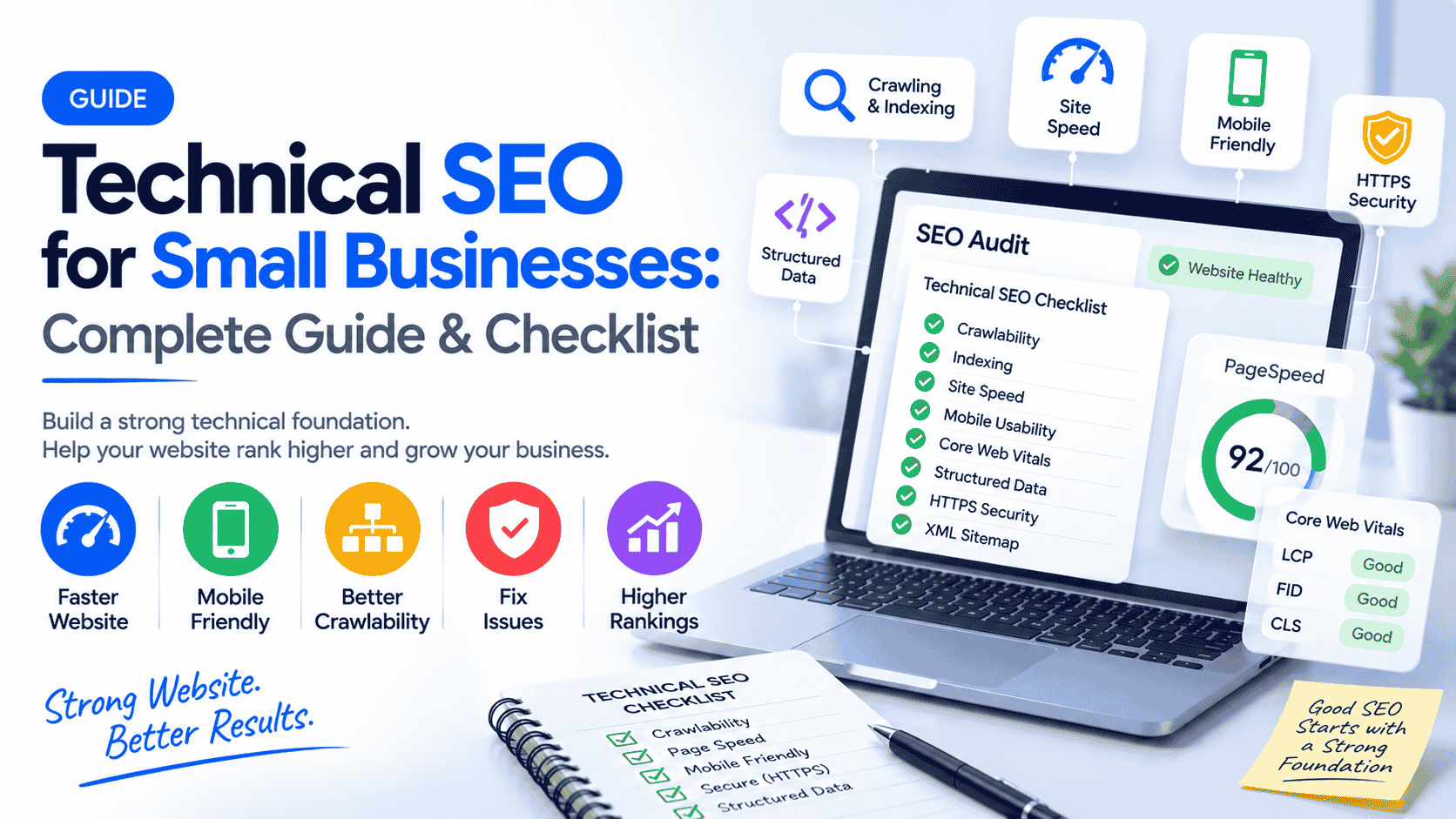
How to Do Technical SEO Step by Step
Step 1 — Check Google Search Console
Set up and verify Google Search Console if you have not already. Review the Coverage / Pages report, Experience reports, and any manual actions or security issues.
Step 2 — Check Indexing
Search site:yourdomain.com in Google for a rough view. In Search Console, examine which pages are indexed and which are excluded (and why). Request indexing for important new or updated pages when needed.
Step 3 — Check Crawling
Look for crawl errors and server issues in Search Console. Ensure Googlebot is not blocked from key sections of the site.
Step 4 — Review XML Sitemap
Confirm the sitemap lists only important, indexable URLs. Submit (or resubmit) it in Search Console. Keep it updated when you add or remove significant pages.
Step 5 — Check Robots.txt
Visit yourdomain.com/robots.txt. Make sure it is not accidentally disallowing important pages or resources. Use the robots.txt tester in Search Console if available.
Step 6 — Check Canonical URLs
Ensure each important page has a self-referencing canonical (or points to the correct preferred version). Incorrect canonicals are a common cause of indexing problems.
Step 7 — Fix Broken Links and 404 Errors
Identify broken internal links and important 404 pages. Fix the links or set up proper 301 redirects where content has moved permanently.
Step 8 — Improve Website Speed
Compress images, enable caching, reduce unnecessary scripts, and choose reliable hosting. Test with PageSpeed Insights.
Step 9 — Check Core Web Vitals
Review Largest Contentful Paint (LCP), Interaction to Next Paint (INP) and Cumulative Layout Shift (CLS). Focus on the pages that matter most for conversions.
Step 10 — Check Mobile Experience
Confirm the site is responsive and usable on mobile. Fix any mobile usability issues reported in Search Console.
Step 11 — Improve Website Architecture
Organise pages in a logical hierarchy. Make sure important pages are reachable within a few clicks from the homepage.
Step 12 — Add Relevant Structured Data
Implement schema markup that matches your content (LocalBusiness, Product, FAQ, Article, etc.) using the appropriate format. Test with Google’s Rich Results Test.
Step 13 — Check Internal Linking
Link related pages together with descriptive anchor text. This helps both users and search engines discover content.
Step 14 — Recheck and Monitor
After making changes, monitor Search Console for improvements in indexing, crawl stats and experience metrics. Technical SEO is ongoing maintenance, not a one-time project.
Common Technical SEO Issues (Problem → Why It Matters → How to Fix)
Pages not indexed
Why it matters: Google cannot rank what it has not indexed.
How to fix: Check for noindex tags, robots.txt blocks, canonical issues or thin/duplicate content. Fix the cause and request indexing.
Incorrect canonical tags
Why it matters: Google may ignore the page you want ranked.
How to fix: Set correct self-referencing or preferred canonicals.
Missing or incomplete XML sitemap
Why it matters: Slower discovery of new or important pages.
How to fix: Generate a clean sitemap and submit it in Search Console.
Broken internal links and 404 errors
Why it matters: Poor user experience and wasted crawl resources.
How to fix: Update or redirect the links. Monitor 404 reports.
Slow pages and poor Core Web Vitals
Why it matters: Affects rankings and conversion rates.
How to fix: Optimise images, reduce render-blocking resources, improve server response, and address layout shifts.
Mobile usability problems
Why it matters: Most searches happen on mobile.
How to fix: Use responsive design and fix reported issues.
Duplicate content
Why it matters: Confuses search engines about which version to rank.
How to fix: Use canonicals, consistent URL parameters handling, and consolidate similar pages where appropriate.
Orphan pages
Why it matters: Hard for Google (and users) to discover.
How to fix: Add internal links from relevant pages.
Mixed HTTP/HTTPS or redirect chains
Why it matters: Security warnings and diluted ranking signals.
How to fix: Enforce HTTPS and keep redirects clean (preferably single 301s).
Technical SEO Examples for Small Businesses
Local restaurant
Problem: Menu pages load slowly because of unoptimised images; some pages return 404 after a redesign.
Fix: Compress images, implement proper 301 redirects, and ensure the sitemap is updated.
Dental clinic
Problem: Service pages exist but are not linked from the main navigation or footer, making them orphan pages.
Fix: Add clear internal links and update the sitemap.
Travel agency
Problem: Multiple URL versions of the same package page (with and without trailing slash or parameters).
Fix: Implement consistent canonical tags and clean redirects.
E-commerce store
Problem: Filtered category pages creating large numbers of thin or duplicate URLs.
Fix: Use canonicals, robots rules or parameter handling as appropriate, and focus crawl attention on valuable pages.
Service business website
Problem: Site is not mobile-friendly and Core Web Vitals are poor.
Fix: Move to a responsive theme or design, optimise images and scripts, and retest.
Technical SEO vs On-Page SEO vs Off-Page SEO
SEO TypeMain FocusExamplesTechnical SEOWebsite infrastructureCrawling, indexing, speed, HTTPS, schemaOn-Page SEOContent and page elementsKeywords, headings, content quality, internal linksOff-Page SEOAuthority and reputationBacklinks, mentions, brand signals
All three work together. Technical SEO makes sure the other two can be effective.
How to Perform a Technical SEO Audit
A practical audit workflow:
Review Google Search Console for coverage, experience and enhancement reports.
Test key pages with PageSpeed Insights and the Rich Results Test.
Crawl the site with a tool such as Screaming Frog (or similar) to find broken links, redirect chains, missing titles, duplicate content and orphan pages.
Check mobile usability and Core Web Vitals.
Inspect robots.txt, sitemap and canonical implementation.
Prioritise issues by impact (indexing blockers and major speed problems first).
Fix, retest and monitor.
Paid tools like Ahrefs or Semrush can add extra insights, but many critical issues are visible with free Google tools and a basic crawl.
10 Technical SEO Fixes You Can Do Today
Confirm the site loads on HTTPS and redirects HTTP traffic.
Submit or update your XML sitemap in Google Search Console.
Check which important pages are indexed and investigate any major exclusions.
Fix or redirect the most important 404 errors.
Review robots.txt for accidental blocks.
Verify canonical tags on key pages.
Compress oversized images on high-traffic pages.
Test mobile usability and fix obvious problems.
Repair broken internal links on main pages.
Improve loading speed on your most important conversion pages.
These quick wins often produce noticeable improvements in crawl health and user experience.
Technical SEO Best Practices for Small Businesses
Follow an 80/20 approach. First fix anything that prevents Google from crawling or indexing your important pages. Then improve speed, mobile experience and Core Web Vitals on the pages that drive enquiries or sales. Keep the site structure simple and internal linking clear.
Avoid chasing every possible technical metric. Focus on the issues that affect real users and search engine access to your content.
Free Tools to Check Technical SEO
Google Search Console — Indexing, crawl issues, experience reports, sitemap status
PageSpeed Insights — Speed and Core Web Vitals
Rich Results Test — Structured data validation
Google Analytics — Traffic and behaviour signals that can highlight technical problems
Screaming Frog (free version limited) — Site crawls for links, titles, canonicals and more
Browser developer tools — Quick checks for console errors and loading behaviour
How Much Does Technical SEO Cost?
Costs vary widely depending on website size, platform (WordPress, custom, Shopify, etc.), number and severity of issues, and whether you need only an audit or full implementation.
A basic audit for a small brochure site is usually more affordable than fixing a large e-commerce site with complex JavaScript or years of accumulated technical debt. Ongoing monitoring and maintenance are often recommended after the initial fixes.
If the technical work is beyond your comfort level, working with someone experienced in technical SEO and website development is usually more efficient than trial-and-error.
Need Help Fixing Your Website’s Technical SEO?
If your site has indexing problems, slow pages, broken links, poor Core Web Vitals or other technical issues that are hard to diagnose or fix, SanketBuilds can help.
We work with small businesses on technical SEO audits, website optimisation, and development of clean, fast, search-friendly websites. The goal is practical improvement in crawlability, indexing and performance so your content and local SEO efforts can deliver better results.
If you would like a clear assessment of your website’s technical health or help implementing the fixes, get in touch for a conversation about the next practical steps.
FAQs
What is technical SEO?
Technical SEO is the process of optimising your website’s infrastructure so search engines can crawl, understand and index it effectively.
Why is technical SEO important for small businesses?
It removes barriers that stop good content from ranking and improves the experience for real visitors, which supports both rankings and conversions.
How do I do technical SEO?
Start with Google Search Console, fix indexing and crawl issues, ensure HTTPS and mobile usability, improve speed, clean up broken links and redirects, and add relevant structured data.
What is a technical SEO checklist?
A prioritised list of items covering security, crawling, indexing, structure, performance and structured data (see the checklist earlier in this guide).
What are common technical SEO issues?
Pages not indexed, slow loading, poor Core Web Vitals, broken links, incorrect canonicals, missing sitemaps, and mobile usability problems.
How do I perform a technical SEO audit?
Use Search Console, PageSpeed Insights, a site crawler and manual checks to identify issues, prioritise by impact, fix, and retest.
How much does technical SEO cost?
It depends on site complexity and scope. Simple sites cost less; larger or more complex sites require more work.
Can I do technical SEO myself?
Many foundational checks and fixes are possible with free tools. More complex issues (especially on custom or large sites) often benefit from professional help.
How do I fix indexing issues?
Identify the cause in Search Console (noindex, robots.txt, canonicals, quality issues), correct it, and request indexing for important pages.
Is technical SEO still important in 2026?
Yes. Search engines still need to crawl and understand websites efficiently. Technical health remains a foundation for visibility and user experience.